
Purchase Requisition Software for Site and Office Teams
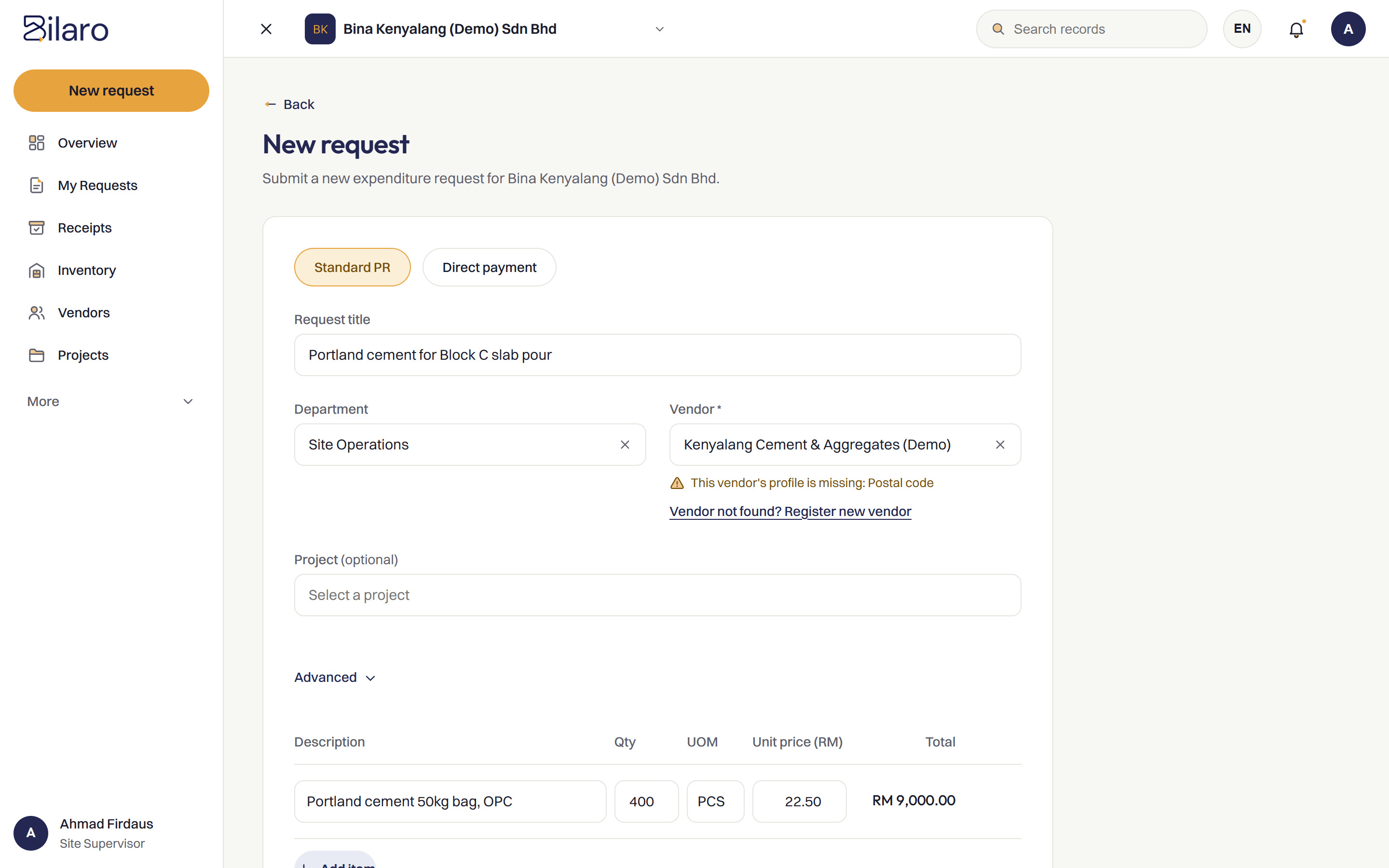
Let site teams raise purchase requests from their phone, with items, quantities and dates in one form, built for teams working across sites.
Sound Familiar?
Most purchase requisitions still start as chat messages, handwritten carbon copy books and phone calls. These are the problems we hear about most.
Requests arrive as WhatsApp messages and photos
A photo of a scribbled note or broken part lands in a group chat, with no project name and no paperwork behind it.
Handwritten forms get lost between site and office
Carbon copy requisition slips stay in site cabins, get damaged on site, or sit in a vehicle glovebox for days.
Requests missing quantities, specs or dates
The office receives a request for materials, but nobody specified the required grade, unit of measure or delivery date.
Nobody knows if a request was seen
Site supervisors have no way to know whether their request was reviewed, who is looking at it, or when materials will arrive.
The same item requested twice by different people
Without a shared list, two supervisors on the same site request the same tools or materials from different suppliers.
Urgent requests jump the queue with no record
Orders are treated as emergencies, bypassing checks without any record of why the normal procedure was skipped.
Buyers retype everything into a PO
Purchasing staff spend hours rekeying item descriptions, quantities and vendor details from messages into purchase orders.
No history of who asked for what
When an invoice arrives, nobody can trace which engineer asked for the items, for which job, or why they were needed.
How Bilaro Fixes It
Each problem above has a matching answer in Bilaro, so purchase requisitions stay on the record instead of in a chat.
One structured request form
Site staff enter items, quantities, units of measure, required dates and the project in a single form, so the office has all the details right away.
Raise requests from a phone browser
Site engineers and supervisors can submit requisitions directly from their phone on site, with no mobile app to install.
Routed to the right approver
Each request goes to a Manager, and to a Director as well above your approval limit. Read more about purchase approval software.
Live status tracking for requesters
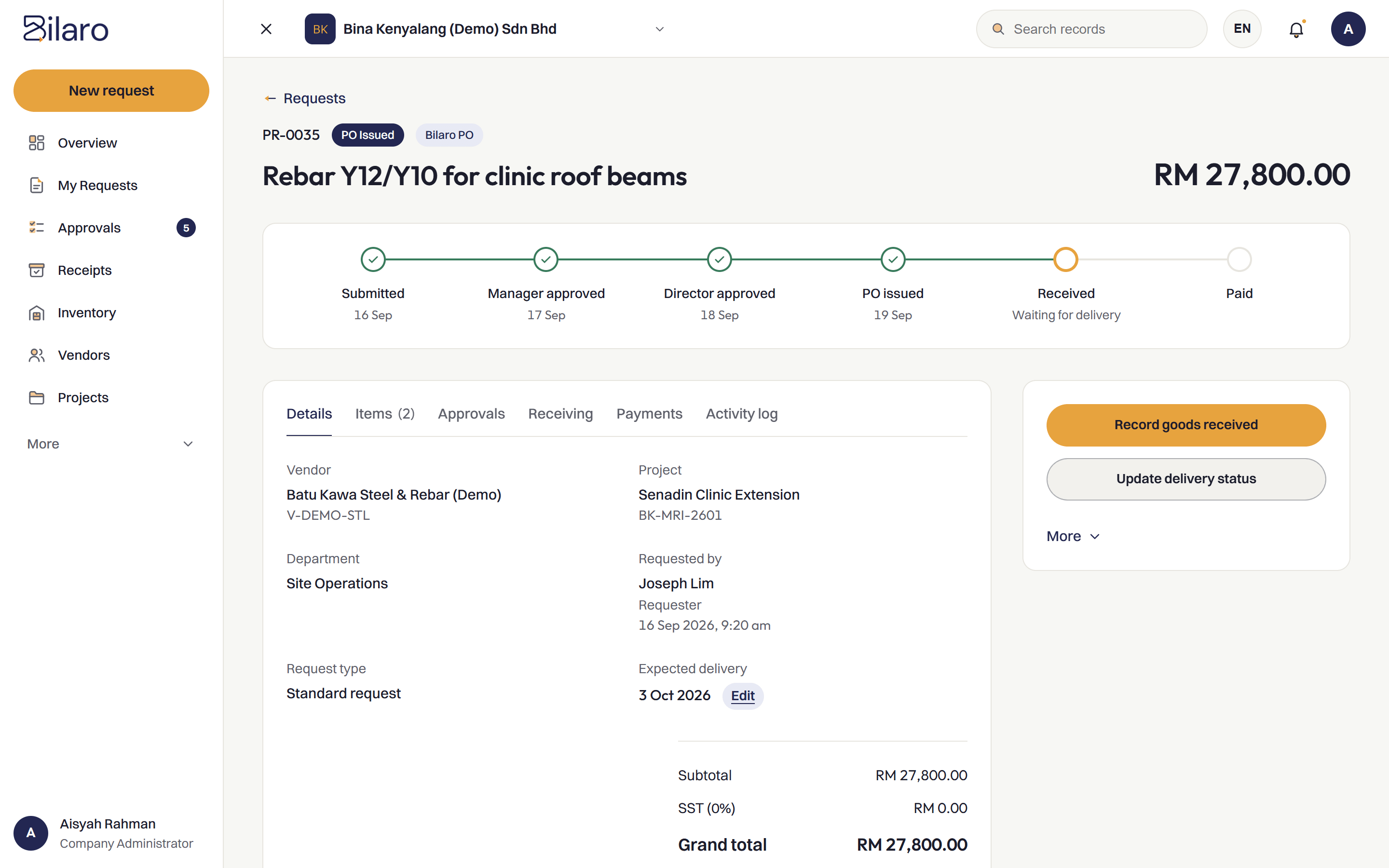
Requesters can see the status of their request, from submitted to approved, without chasing anyone.
Move to quotations and PO without retyping
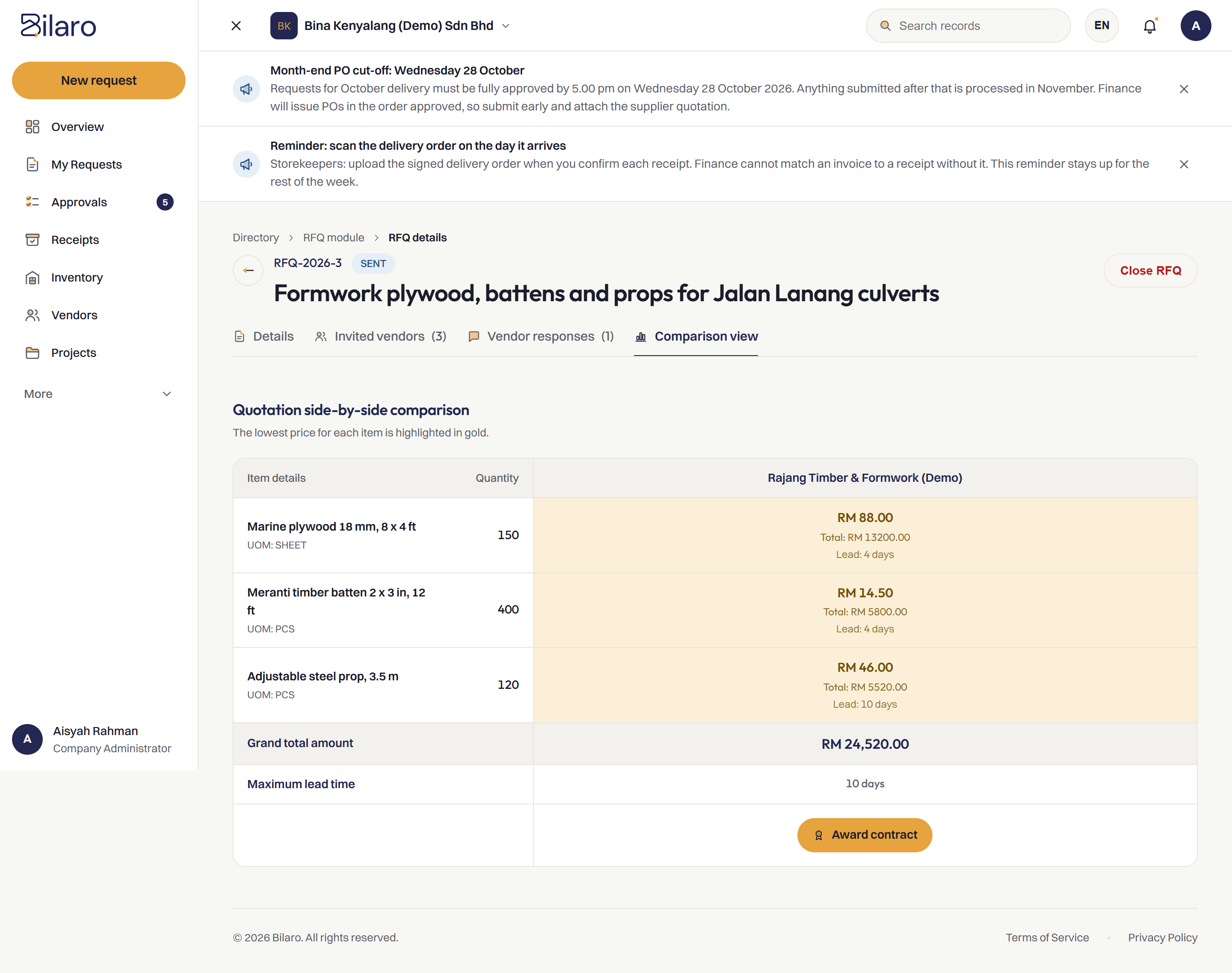
Approved requests convert directly into purchase orders, with attached supplier quotations compared side by side, so buyers do not have to retype the line items.
Every request kept with full history
Every submission, approval and change is recorded with timestamps and names, keeping a clear record from request to payment.
How It Works
Raise the request
Site staff submit items, quantities, project and required dates from a phone browser.
Route for approval
The request goes to a Manager. Above your approval limit, a Director approves as well.
Compare quotations
Supplier quotations are attached to the request and compared side by side.
Issue the PO
The approved request moves forward into a purchase order on your letterhead without retyping.
Built for Malaysian Teams
- RM and SST on the PO.
- Works next to your accounting software, such as SQL Account and AutoCount, rather than replacing it.
- Microsoft 365 and Google sign-in.
- Run several companies under one login on the plans that include it.
- A vendor register to issue POs from.
Related Reading
What is a purchase requisition?
How purchase requisitions differ from purchase orders and what they should include.
Read the article →Purchase approval software
How purchase requests and approvals route to the right approvers.
Read about approvals →Purchase order system
Turning approved requisitions into structured purchase orders.
Read about purchase orders →Moving approvals off WhatsApp
A practical guide for site teams who approve in chat groups today.
Read the article →Frequently Asked Questions
It is software that allows team members to submit purchase requests with item descriptions, quantities, dates and project details in one structured form, before any order is placed with a vendor.
Yes. Bilaro works in the phone's browser, so site engineers and supervisors can submit requests directly from the field without installing an app.
Once approved, the request moves forward to quotation comparison and can be converted into a purchase order without retyping line items.
Yes. Every request records who created it, the project, the date and time, and the full approval history so there is always a clear record of who asked for what.
Yes. The Free plan covers 5 purchase requests a month, monthly expenses (payroll, rent and utilities), petty cash and projects up to RM100,000, for 2 users in 1 company. No card is needed.
Get every purchase request on the record.
Free plan for 2 users. No card needed.