
Purchase Order System for Malaysian Construction & Oil & Gas Teams
Raise, approve and track purchase orders in one place, with approved POs on your letterhead, built for teams working across sites.
Sound Familiar?
Most purchase orders still run on Word files, spreadsheets and handwritten books. These are the problems we hear about most.
POs typed in Word or Excel
Each PO is typed by hand, leading to typos, missed details and inconsistent layouts.
Duplicate or missing PO numbers
When numbers are tracked manually, two staff issue the same number or numbers go missing.
Orders issued before approval
The PO is sent to the supplier first, and approvals are chased only when the invoice arrives.
Nobody knows which POs are still open
Open orders sit across chat threads and folders with no clear record of delivery status.
Price disputes on the invoice
The PO says one price and the invoice another, leading to delays and payment arguments.
POs scattered across channels
Orders are spread between WhatsApp, email inboxes and desktop folders, making retrieval painful.
Site cannot see what was ordered
The site team receives deliveries without knowing what was ordered or when it was due.
Finance chasing paperwork at month end
Staff spend days chasing delivery orders, quotations and signatures before accounts can close.
How Bilaro Fixes It
Each problem above has a matching answer in Bilaro, keeping every purchase order linked to its request and delivery.
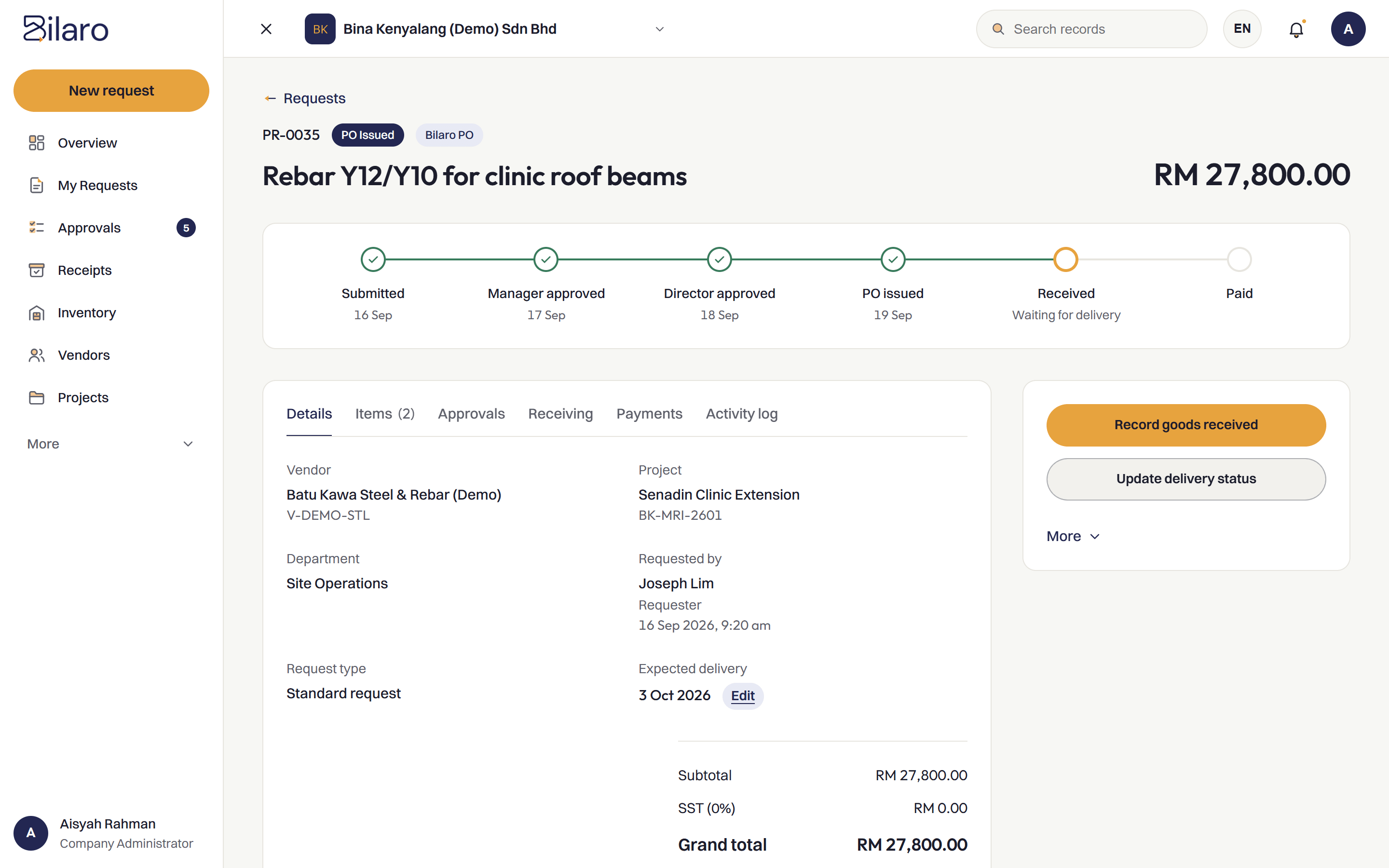
Every PO comes from an approved request
Each purchase order is created directly from a signed-off request, so a PO is not issued before the request is approved.
PO numbers issued by the system
Sequential PO numbers are assigned by the system, so nobody has to number POs by hand or keep a separate log.
PO generated on your letterhead as a PDF
The system generates clean PDF purchase orders carrying your company letterhead, logo and details, ready to issue.
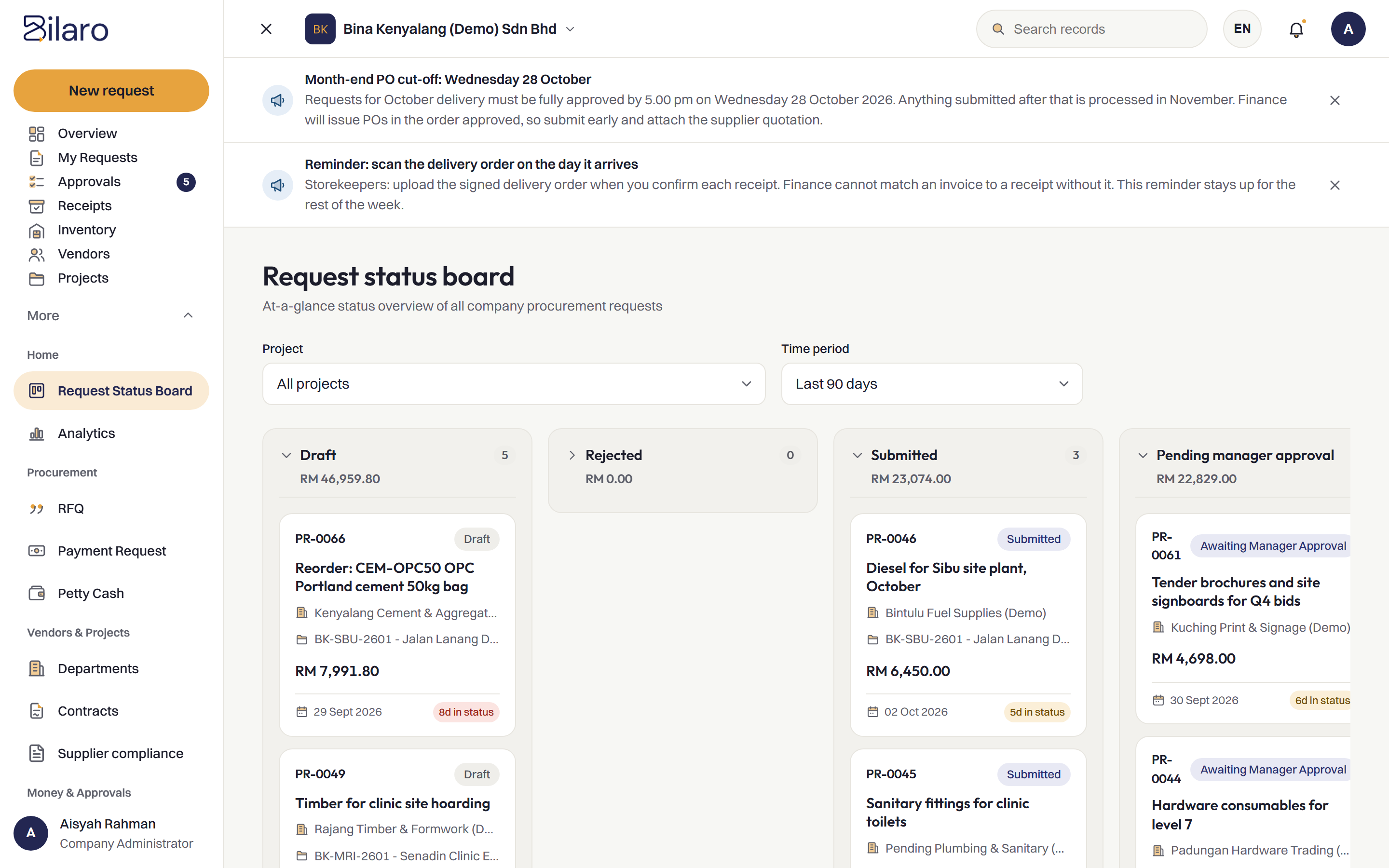
See every PO and its status on one board
The request status board gives a single view of every order across your projects, from draft to paid.
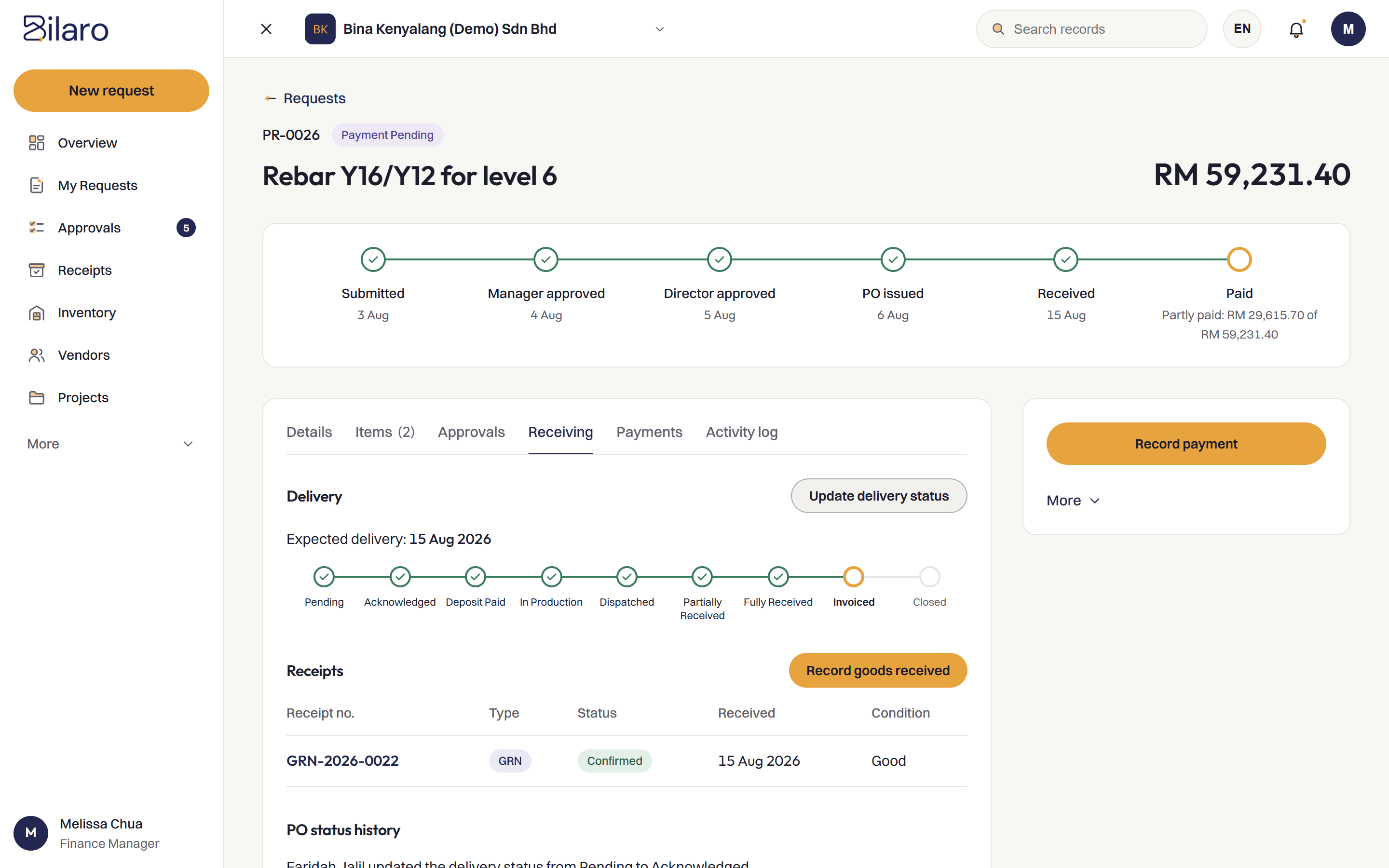
Goods received recorded against the PO
Site staff record incoming deliveries directly against the purchase order, keeping quantities and delivery notes attached.
Full history kept in an audit trail
Every change, approval and receiving record is logged with a timestamp. Read more about the audit trail.
How It Works
Raise the request
The site team raises a purchase request.
Route for approval
The request goes to a Manager for approval, and to a Director as well above your approval limit.
Issue the PO
The approved request becomes a PO on your letterhead.
Receive and match
Goods received are recorded on site and matched before payment.
Built for Malaysian Teams
- RM and SST on the PO.
- Works next to your accounting software, such as SQL Account and AutoCount, rather than replacing it.
- Microsoft 365 and Google sign-in.
- Run several companies under one login on the plans that include it.
- A vendor register to issue POs from.
Related Reading
Purchase order system in Malaysia
What construction and O&G SMEs need from a PO system.
Read the article →What is a purchase order?
Definition, contents and where the PO fits in procurement.
Read the article →Purchase approval software
Keep purchase requests and approvals connected before orders go out.
Explore purchase approvals →What is three-way matching?
How POs, delivery orders and invoices are matched before payment.
Read the article →Frequently Asked Questions
It is software that manages purchase orders from the initial request through approval, issuance, receiving and invoice matching, keeping every step on one linked record.
Yes. Bilaro generates purchase orders as PDFs using your company letterhead, logo and details.
Yes. The status board shows every purchase order and where it stands, from draft and approved to issued, received and paid.
No. Bilaro works next to your accounting software. Bilaro handles purchasing, and your accounting software handles the books.
Yes. The Free plan covers 5 purchase requests a month, monthly expenses (payroll, rent and utilities), petty cash and projects up to RM100,000, for 2 users in 1 company. No card is needed.
Put every purchase order on one traceable record.
Free plan for 2 users. No card needed.