
Procurement Budget Control for Malaysian Construction & Oil & Gas Teams
Set department budgets, see committed spend as requests are raised, and stop or flag requests that would go over.
Sound Familiar?
Most budgets still live in neglected spreadsheets while site teams order what they need. These are the problems we hear about most.
Budgets trapped in spreadsheets
Budgets live in a spreadsheet that nobody updates once daily project work begins.
Overspending found at month end
You only discover a department has overspent when month-end accounts are compiled.
Committed spend stays invisible
Committed spend remains invisible until supplier invoices arrive in the office.
Approving without budget visibility
Approvers sign off purchase requests without knowing how much budget is left.
Projects eating into shared funds
One project quietly overspends and eats into money intended for another job.
Ordering first, checking later
Site teams order materials first and ask about budget availability later.
Disputes between site and finance
Finance and site supervisors argue over what has been committed and what was spent.
Chasing reports for management
Management wants a monthly or yearly view of spend without chasing staff for reports.
How Bilaro Fixes It
Each problem above has a matching answer in Bilaro, so spend is tracked against department budgets and project contract values.
Budgets per department, monthly or annual
Set spending caps per department on a monthly or annual basis. Administrators manage the budget caps to keep controls consistent.
Committed spend counted as requests are raised
Committed spend counts every request that is not rejected, cancelled or still a draft, so you know where you stand before invoices land.
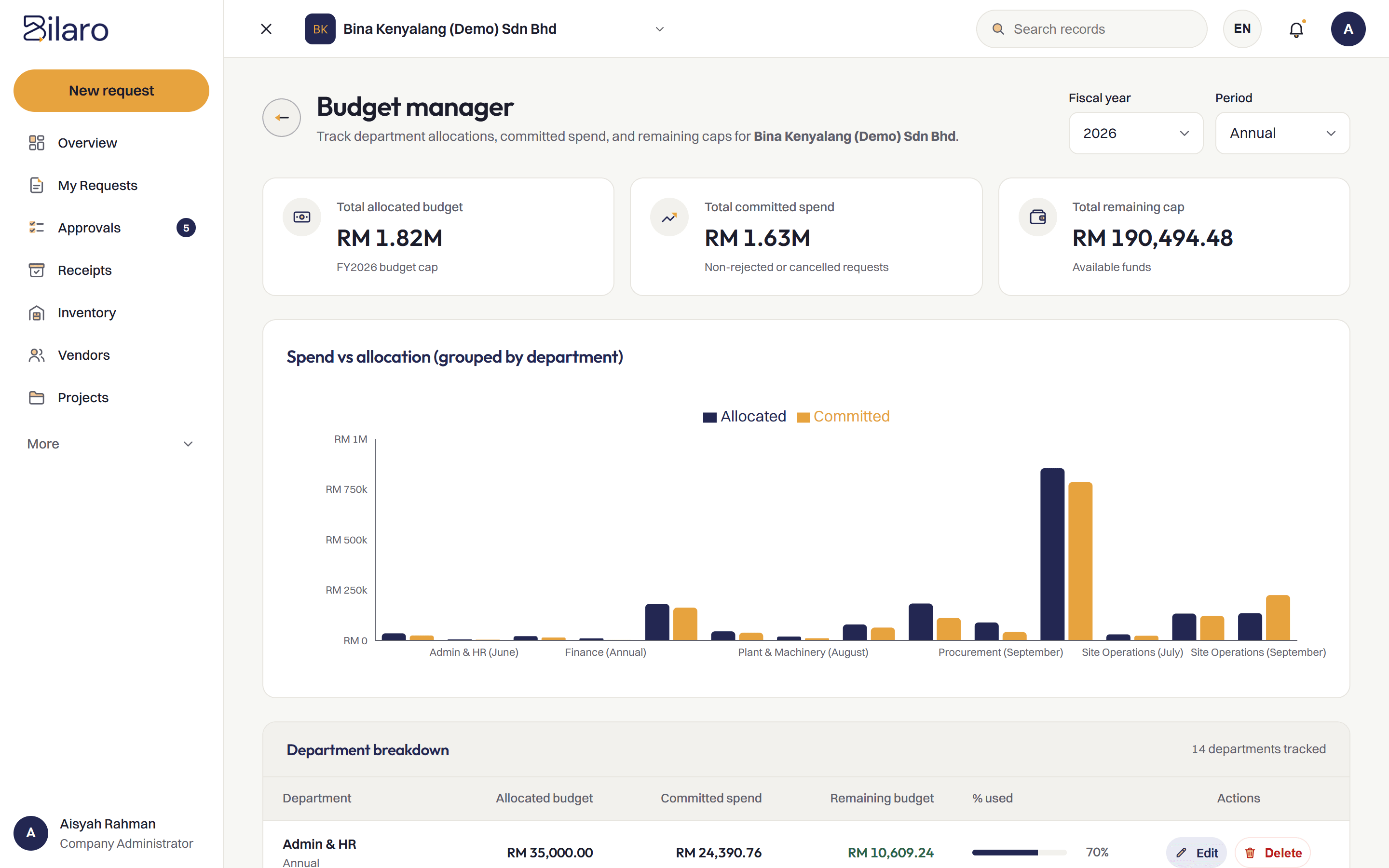
Allocated, committed and remaining on one screen
Track allocated budget, committed spend, remaining funds and percent used on one screen, complete with a spend-versus-allocation chart.
Standard, Strict or Flexible budget policy
Standard policy refuses over-budget requests at creation and warns approvers. Strict policy refuses at creation and at every approval step. Flexible policy allows requests through with a warning.
Project spend checked against contract value
Spend on a project is also checked against the project's contract value, under the same policy.
Approvals linked to the audit trail
Every purchase request still moves through purchase approval by designated roles and remains recorded in the audit trail.
How It Works
Set the budget
An administrator sets department allocations on a monthly or annual basis, or sets the contract value for a project.
Raise the request
The team raises a purchase request tagged to a department or project.
Check under your policy
Bilaro checks the request against remaining funds using your policy: Standard, Strict or Flexible.
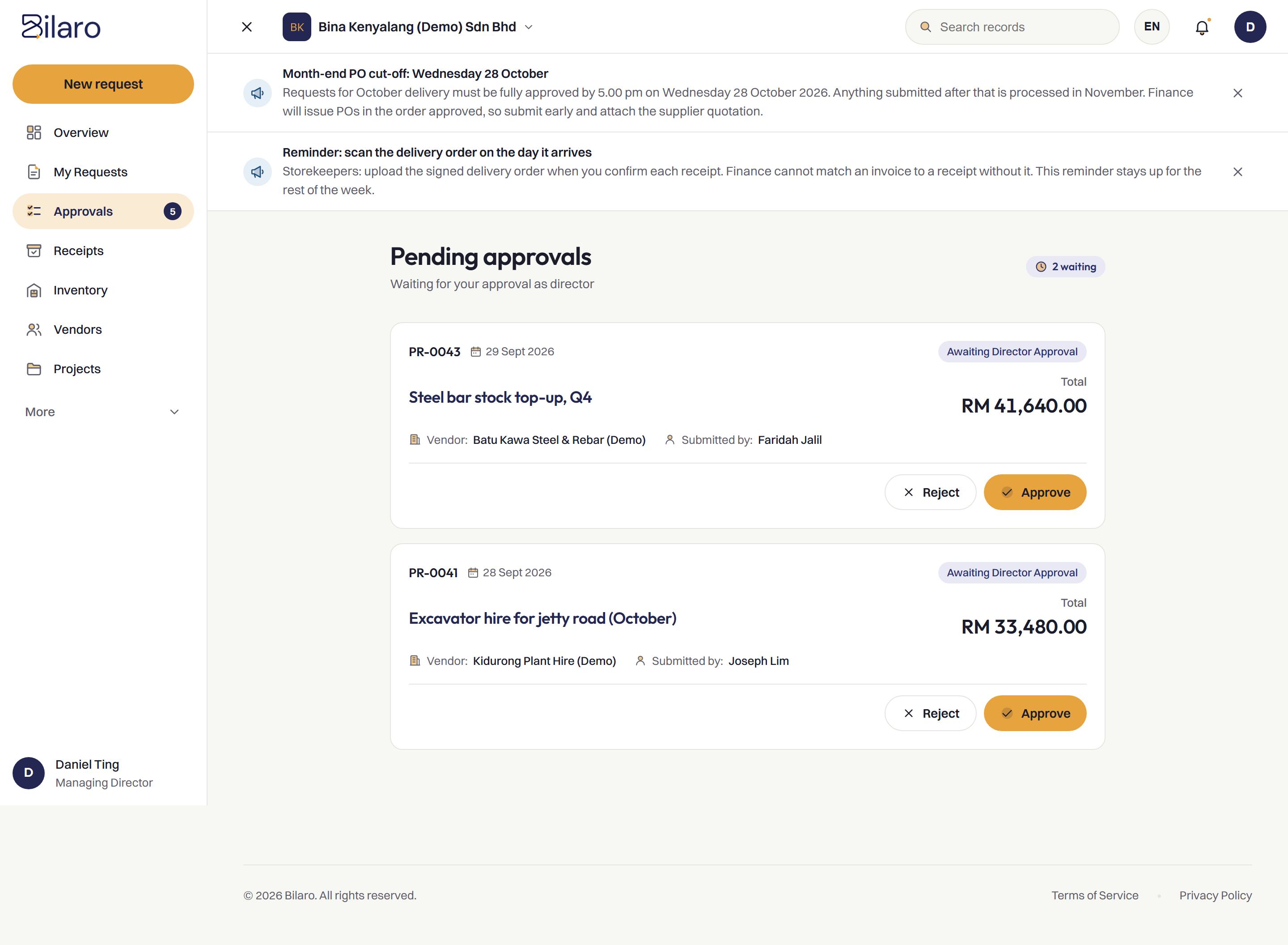
Approve with what is left
Approvers are warned when a request would take a department or project over budget.
Built for Malaysian Teams
- RM and SST on the PO.
- Works next to your accounting software, such as SQL Account and AutoCount, rather than replacing it.
- Microsoft 365 and Google sign-in.
- Run several companies under one login on the plans that include it.
- A vendor register to issue POs from.
Related Reading
Purchase approval software
Route each purchase request to the right approver before orders are placed.
Read about approval software →Purchase order system
Raise, approve and track purchase orders in one place on your letterhead.
Read about purchase orders →Purchasing control: software vs manual
How digital workflows enforce approval limits and budget checks.
Read the article →Company spending without a project
Putting approvals and department budgets around everyday overhead spending.
Read the article →Frequently Asked Questions
It is software that sets spending limits by department or project, tracks committed spend as requests are raised, and flags or blocks purchases that would exceed the allocation.
Yes. Department budgets can be set on a monthly or annual basis, and administrators manage the budget settings.
It depends on the policy your company chooses. Under Standard, a request that would exceed budget is refused when raised, and approvers are warned. Under Strict, it is refused when raised and at every approval step. Under Flexible, requests are never refused, but the requester and approvers see a warning.
Yes. Spend on a project is also checked against the project's contract value.
Yes. The Free plan covers 5 purchase requests a month, monthly expenses (payroll, rent and utilities), petty cash and projects up to RM100,000, for 2 users in 1 company. No card is needed.
Keep every purchase inside its budget.
Free plan for 2 users. No card needed.