
Goods Received Notes That Match the Purchase Order
Record goods and services received on site against the purchase order, so finance pays only for what arrived, built for teams working across sites.
Sound Familiar?
Most site receiving still runs on paper delivery slips, verbal handovers and memory. These are the problems we hear about most.
Delivery orders lost in cabs and site offices
Paper delivery orders get left in lorries or scattered across site cabins and never reach the office.
Invoices paid for goods that never arrived
Without a receiving record, supplier invoices get cleared even when materials were missing.
Short or wrong deliveries noticed too late
Suppliers deliver fewer items than ordered or the wrong specifications, and nobody notices until the invoice is processed.
Services and plant hire have no delivery order
Hired machinery and maintenance work have no paper delivery slip, leaving finance with nothing to check before paying.
The person signing is not the person who ordered
Deliveries are signed by whoever is near the gate, without knowing what was ordered or what to inspect.
Finance cannot tell what has arrived
The accounts team has the purchase order and the invoice, but no reliable record of what was actually received on site.
Month-end matching from piles of paper
Finance spends days at month end chasing signed slips and matching paper orders to invoices one by one.
Disputes with suppliers over deliveries
When quantities or specifications differ, arguing with vendors without a timestamped receiving record is difficult.
How Bilaro Fixes It
Each problem above has a matching answer in Bilaro, keeping every receipt linked directly to its purchase order.
GRN and SRN recorded against the PO
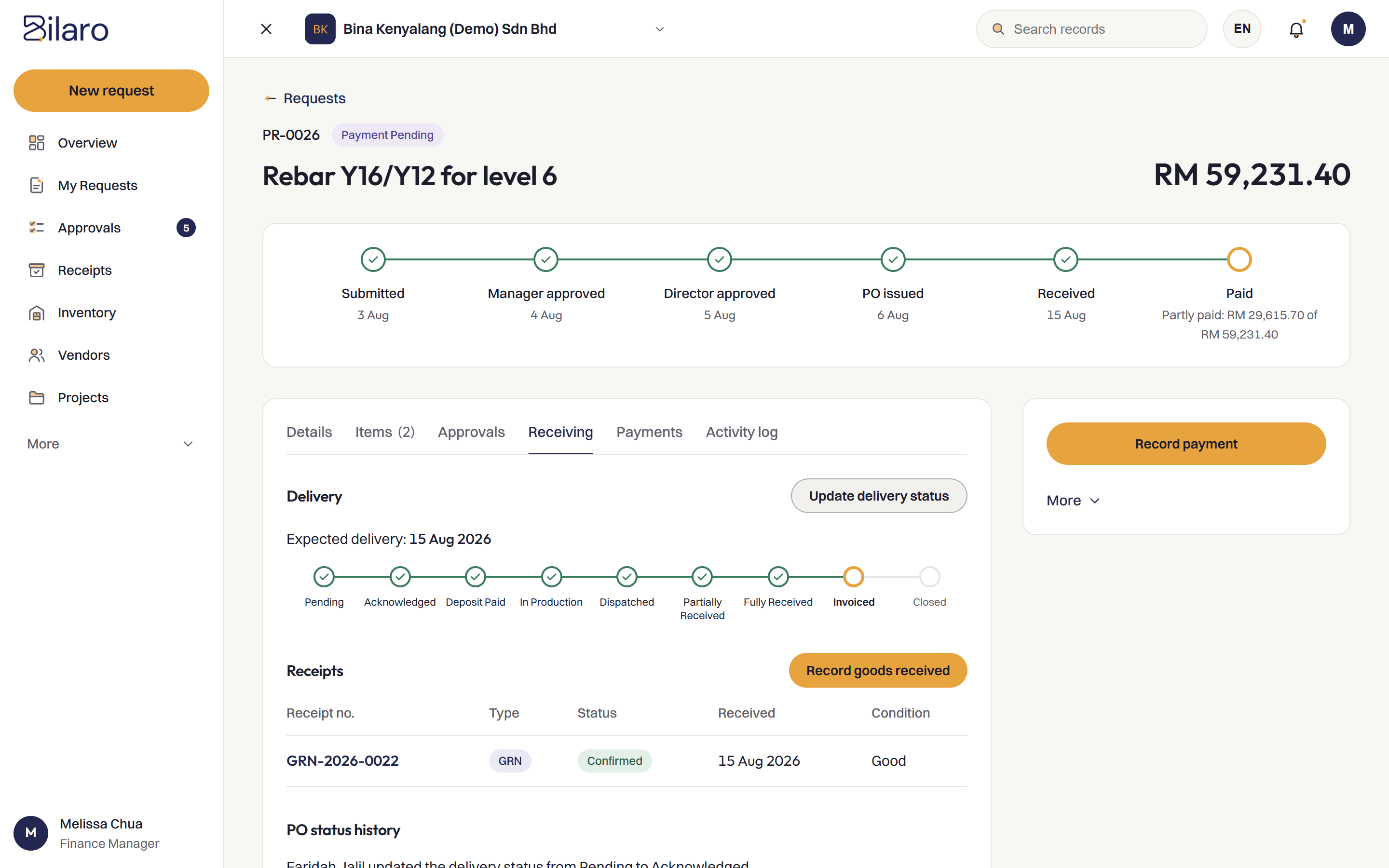
Record a goods received note for materials or a service received note for plant hire directly against the purchase order.
A dedicated receiver role on site
Site staff assigned to the receiver role inspect deliveries and record receipts, keeping receiving independent from purchasing.
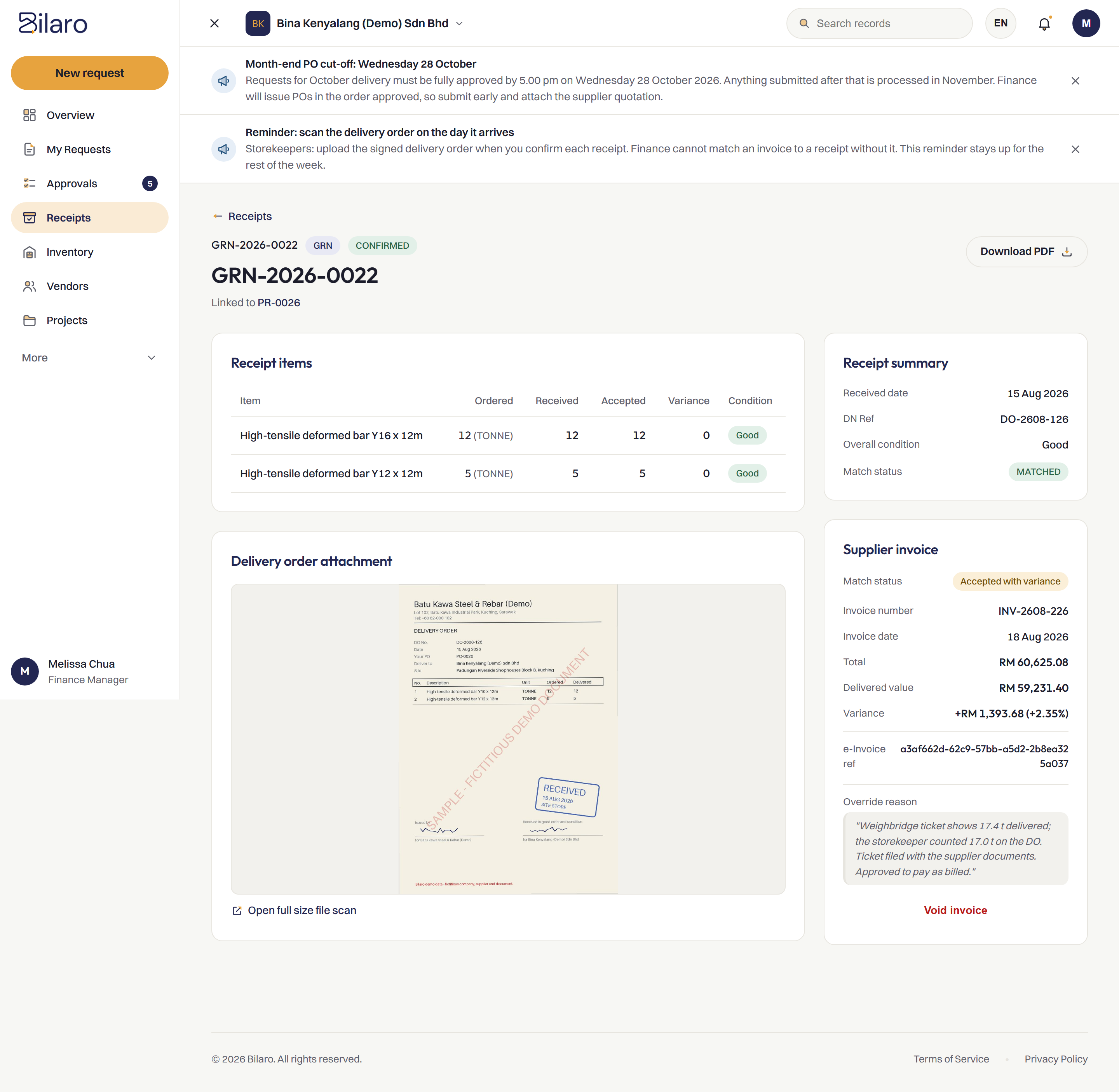
Ordered and received side by side
See quantities ordered, received, accepted and any variance side by side on one screen, with delivery order photos attached.
Finance checks PO, receipt and invoice before payment
Finance checks the purchase order, the goods received note and the supplier invoice against each other in Bilaro before paying.
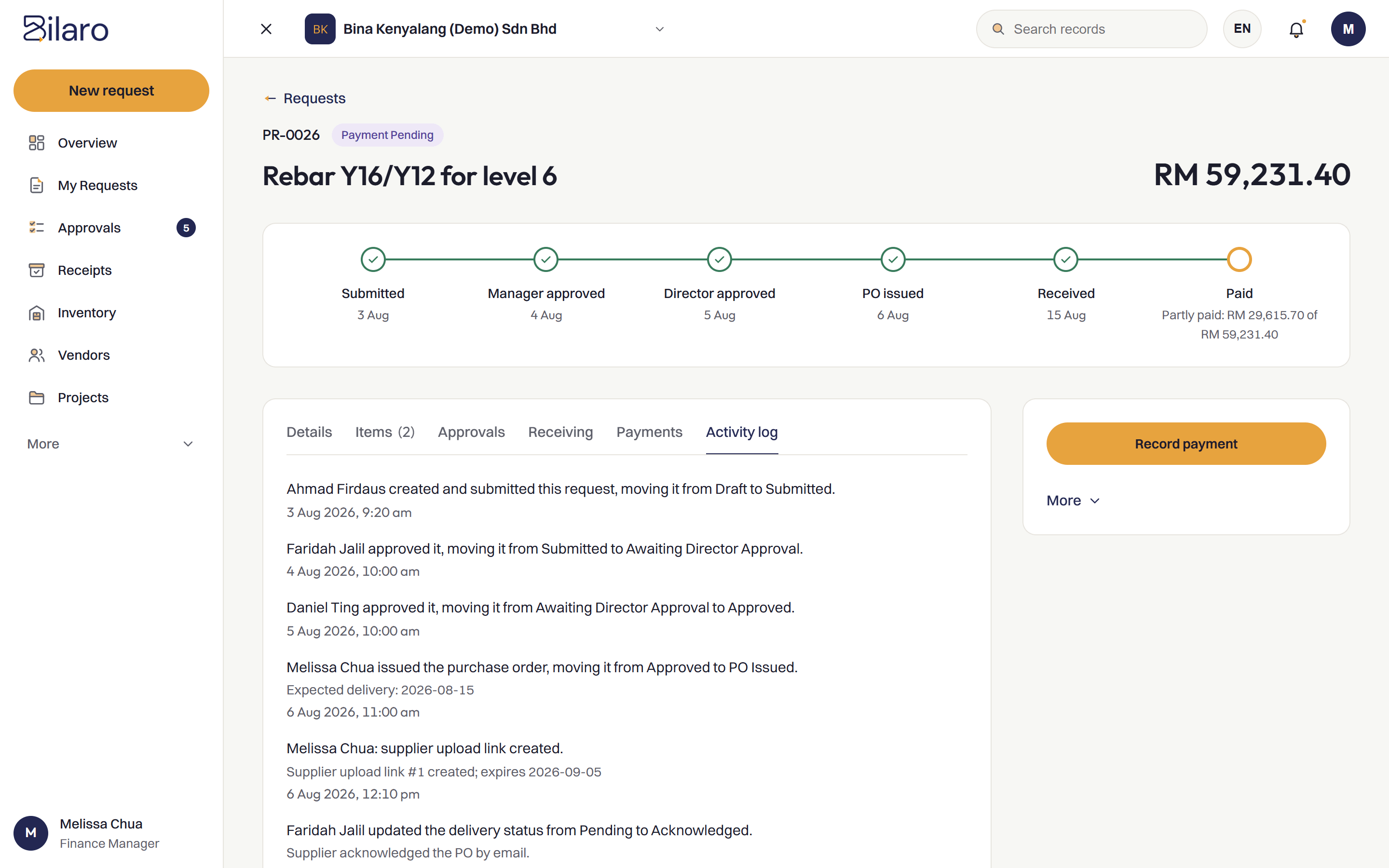
Every receipt kept in the audit trail
Each receiving record, timestamp and photo attachment is kept in the activity log. Read more about the audit trail.
Site records visible to the office straight away
When a receiver records a delivery on site from a phone browser, head office and finance can see it without waiting for the paperwork.
How It Works
PO issued
An approved purchase order is issued to the supplier.
Delivery arrives
Materials or services arrive at the project site with the delivery order.
Receiver records the GRN or SRN
The site receiver inspects the delivery and records the goods or services received against the PO.
Checked before payment
Finance checks the PO, the receipt and the invoice against each other before releasing payment.
Built for Malaysian Teams
- RM and SST on the PO.
- Works next to your accounting software, such as SQL Account and AutoCount, rather than replacing it.
- Microsoft 365 and Google sign-in.
- Run several companies under one login on the plans that include it.
- A vendor register to issue POs from.
Related Reading
What is a goods received note?
Meaning, process and format of a GRN, and how it protects site receiving.
Read the article →What is a delivery order?
The role of delivery orders in procurement and why lost DOs cost money.
Read the article →What is three-way matching?
How POs, delivery orders and invoices are checked against each other before payment.
Read the article →Purchase order system
Raise, approve and track purchase orders in one place, approved before they go out.
Explore purchase orders →Frequently Asked Questions
A goods received note, or GRN, is an internal record created when goods arrive on site to record what actually arrived, the quantities received and their condition against the purchase order.
A goods received note (GRN) records physical materials and deliveries that arrive on site, while a service received note (SRN) records services that have been carried out, such as plant hire or maintenance work.
A person on site with the receiver role inspects the delivery and records the receipt in Bilaro, keeping the person who receives the goods separate from the person who approved the order.
Finance checks the PO, the goods received and the supplier invoice against each other in Bilaro before paying, so discrepancies are caught before money goes out.
Yes. The Free plan covers 5 purchase requests a month, monthly expenses (payroll, rent and utilities), petty cash and projects up to RM100,000, for 2 users in 1 company. No card is needed.
Pay only for what arrived on site.
Free plan for 2 users. No card needed.